
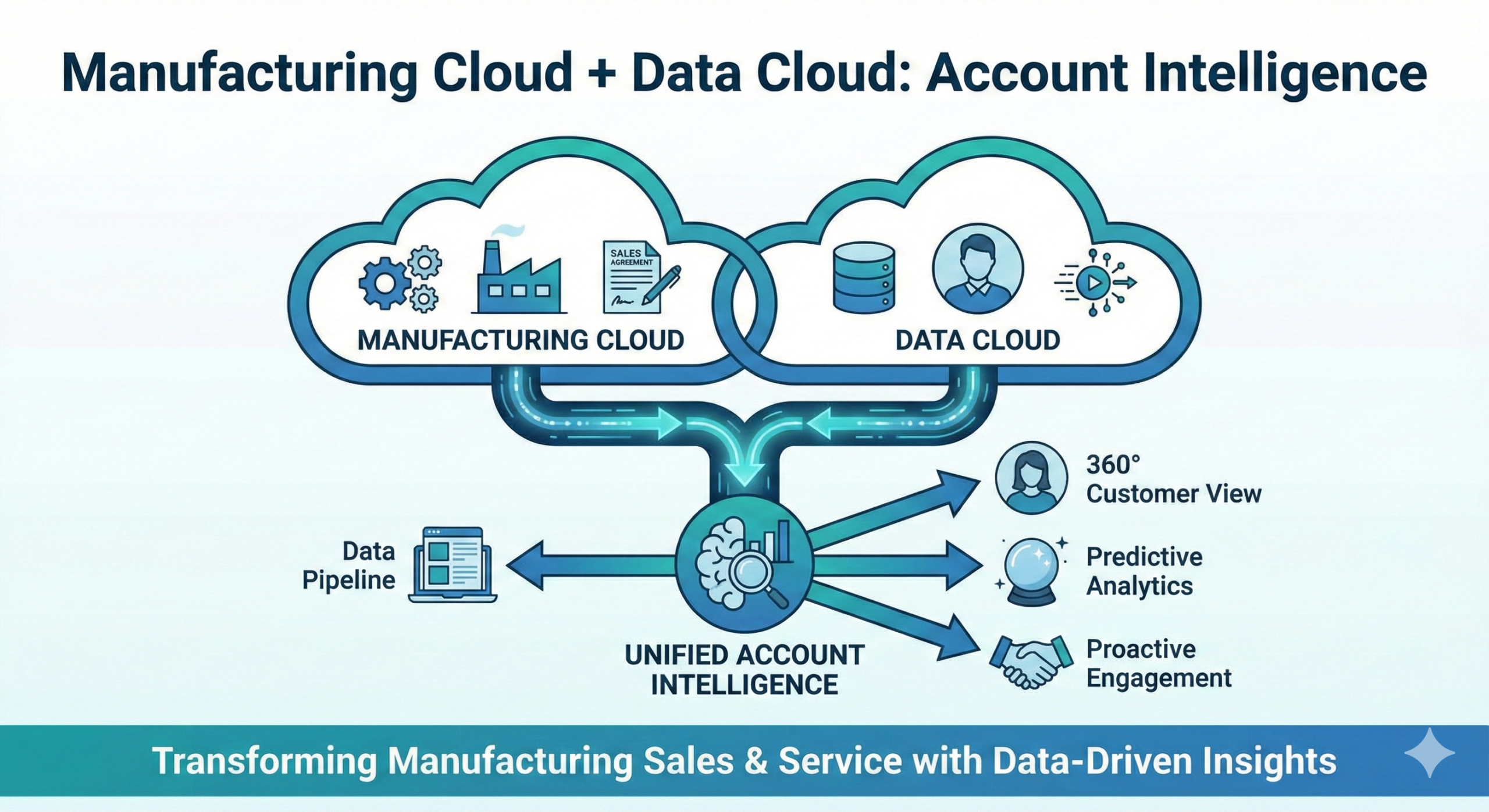
Manufacturing Cloud + Data Cloud: Account Intelligence for Manufacturers
Manufacturing Cloud + Data Cloud enables account intelligence by unifying customer and channel signals (orders, shipments, engagement, service, and partner activity) into a consistent account profile, then using that profile to prioritize accounts, explain forecast changes, and detect churn or supply risk early.
This matters most for manufacturers with fragmented data across ERP, CRM, portals, and distributor/POS feeds who want one account view for Sales, channel teams, and operations. The outcome is better forecasting conversations (committed vs actual vs forecast), faster exception management, and earlier retention interventions.
If account signals live in separate systems → then teams miss early risk and respond late.
If identities and hierarchies aren’t unified → then rollups and segmentation are unreliable.
If signals are unified and governed → then you can standardize “risk/intent/health” and run weekly actions off it.
A “good” account intelligence program includes:
Unified account identity and hierarchy (sold-to/ship-to, parent/child)
A small signal library (intent, risk, supply constraint, churn risk)
Governed definitions and thresholds (so “risk score” isn’t arbitrary)
Dashboards + action lists inside Salesforce (who to call, what to fix)
What “Account Intelligence” Means in Manufacturing
Account intelligence is a practical answer to: “What’s happening with this customer, and what should we do next?”
For manufacturers, it usually includes:
Demand signals (orders, reorder cadence, product mix)
Commitment signals (sales agreements, forecasts, pipeline)
Fulfillment signals (fill rate, OTIF, backorders)
Service signals (escalations, reopen rate, case volume spikes)
Channel signals (sell-in vs sell-through, distributor activity)
Engagement signals (portal usage, quote requests, content downloads)
Step 1: Pick the Intelligence Use Cases (Start With Decisions)
Don’t unify everything. Unify what drives action.
High-value use cases
Churn-risk early warning
Detect order drop-off and service friction before the customer “leaves”
Forecast change explainability
Identify which accounts/products are driving a forecast move
Supply constraint and allocation decisions
Prioritize strategic accounts when supply is tight
Channel performance and leakage
Spot where sell-in is rising but sell-through is declining
Outputs you want
3–5 use cases with owners and success metrics
A v1 list of required signals per use case
Step 2: Unify Identity and Hierarchies (The Foundation)
If you can’t consistently identify an account, intelligence becomes noise.
What you unify
Sold-to, ship-to, bill-to relationships
Parent/child account hierarchies
Partner relationships (distributor branches, reseller accounts)
Product identifiers (SKU mapping, UOM where relevant)
Outputs you want
A canonical account hierarchy model
A mapping strategy for ERP account IDs → Salesforce accounts
A “confidence rule” for matches (deterministic when possible)
Quick win
Pilot with one region and a golden set of top accounts to validate hierarchy logic before scaling.
Step 3: Bring in the Right Data Domains (Minimum Viable Intelligence)
Start with the domains that power your top signals.
Domain A: ERP actuals (orders, shipments, inventory)
Order history and open orders
Shipment dates, partial shipments
Backorders and promised dates
Inventory/ATP signals (if available)
Domain B: Manufacturing Cloud commitments and forecasts
Sales agreements and schedules
Committed vs actual variance
Account forecast values and adjustments
Domain C: Service signals (if Service Cloud is used)
Case volume and severity trend
Escalations and reopen rate
SLA breaches or milestone risk
Domain D: Channel signals (if channel-heavy)
Sell-in vs sell-through (POS where available)
Partner activity (deal regs, MDF usage)
Outputs you want
System-of-record matrix per domain
Refresh cadence expectations (daily vs weekly)
Step 4: Build a Signal Library (Intent, Risk, Health)
This is where “data” becomes “intelligence.”
Recommended signals (manufacturing-ready)
Demand intent signals
Reorder cadence accelerating
Increased quote/price request activity
Product family expansion behavior
Churn risk signals
Rolling order value down > X% for Y weeks
Product family drop-off (category churn)
Increased escalations + declining purchases
Fulfillment risk signals
Fill rate down
OTIF down
Backorders up
Promised date slippage
Channel leakage signals
Sell-in up, sell-through down (inventory build)
Partner engagement down while end-customer demand shifts
Outputs you want
Signal definitions (formula + threshold + owner)
A short list of signals used in v1 (10–15 max)
Decision logic
If a signal doesn’t trigger a clear action → it’s not a v1 signal.
Step 5: Create the Account Intelligence Views (Scorecard + Action Lists)
Intelligence must show up as:
a quick summary and
a list of what to do.
Account Intelligence Scorecard (per account)
Commitment vs actual trend
Forecast vs baseline (and what changed)
Fulfillment health (fill rate/OTIF/backorders)
Service health (case trend and severity)
Risk level and top drivers
Action Lists (for teams)
“Top 25 churn-risk accounts this week”
“Accounts with fill rate drop > X%”
“Accounts trending above commitment (upside)”
“Channel inventory build risk by distributor”
Outputs you want
Role-based views (exec vs account manager vs ops planner)
Drill-down paths (account → product family → period)
Step 6: Operationalize With Cadence (Make It a Weekly Habit)
Account intelligence only works when it’s used repeatedly.
Recommended cadence
Weekly: “risk and exceptions” review (Sales + Ops)
Monthly: forecast review (drivers + top movers)
Quarterly: QBRs using the same scorecard
Outputs you want
A weekly meeting agenda tied to the action lists
Owners for each action type (sales, ops, service, channel)
Step 7: Governance and Trust (Prevent “Random Score” Syndrome)
Teams stop trusting “intelligence” when scores are unclear or change silently.
What you do
Document signal definitions and thresholds
Use a single computation path (no duplicate formulas)
Version changes and publish release notes
Monitor data quality (missing IDs, mapping mismatches)
Outputs you want
KPI/signal dictionary
Change control workflow
Step 8: Start With an MVP Pilot (Then Scale)
Account intelligence is best proven with a controlled pilot.
MVP pilot scope
10–20 top accounts
2–3 product families
ERP orders/shipments + Manufacturing Cloud agreements/forecast
5–10 signals and 2–3 action lists
Scale Phase 2
Add POS/channel signals, inventory/ATP, more products
Add predictive models (only after signals and governance are stable)
Expand to more regions and account tiers
Common Pitfalls (And How to Avoid Them)
Pitfall: Trying to unify everything
Fix: Start with 3–5 decisions and a small signal library.
Pitfall: Account hierarchies don’t match ERP reality
Fix: Validate mapping with a golden set and reconcile regularly.
Pitfall: Signals don’t drive actions
Fix: Every signal must have an owner and a next step.
Pitfall: “Risk score” becomes untrusted
Fix: Transparent definitions, stable thresholds, versioned changes.
Pitfall: Data freshness is unclear
Fix: Display last refresh timestamps and set expectations per domain.
Frequently Asked Questions
What is “account intelligence” in Salesforce for manufacturers?
It’s a unified view of demand, commitments, fulfillment, service, and channel signals that helps teams prioritize accounts and act on risks early.
Do we need Data Cloud to do this?
You can build intelligence without it, but Data Cloud helps unify identities and data sources so signals are consistent and reusable across teams.
What signals should we start with?
Order drop-off (churn risk), fill rate/OTIF decline (fulfillment risk), and committed vs actual variance (forecast drivers).
How do we keep intelligence trusted?
Govern definitions, use one computation path, reconcile ERP actuals, and version signal changes.
How do we prove value fast?
Pilot with top accounts, track action completion, and measure outcomes like reduced churn-risk accounts and improved forecast alignment.
Book an Account Intelligence Working Session
If you want Manufacturing Cloud + Data Cloud to produce account intelligence your teams actually use, book time with our team. We’ll map your key signals, define a v1 signal library and action lists, and outline an MVP pilot, so you can detect churn and supply risk earlier and run forecasting conversations on one view.