
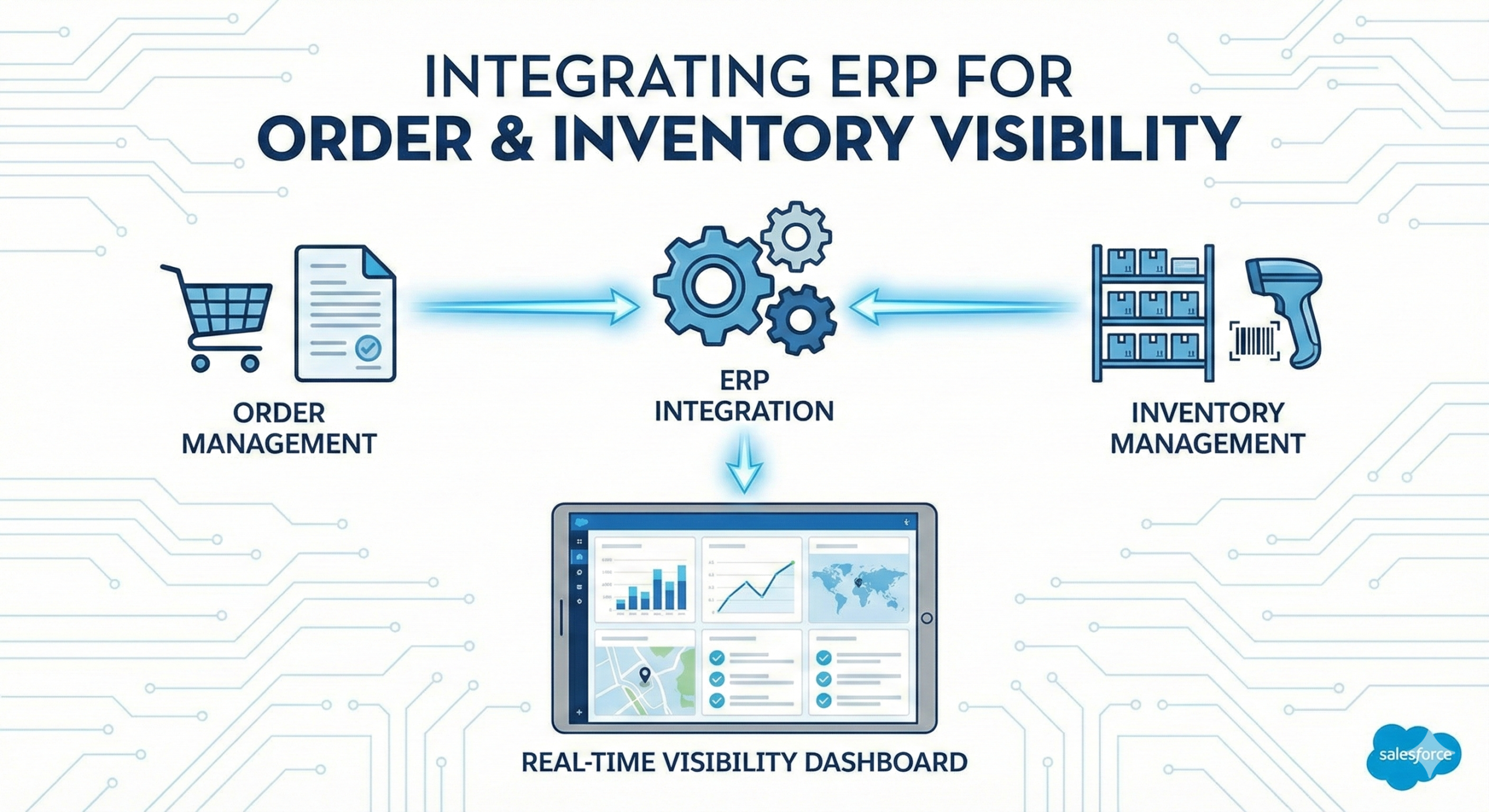
Integrating ERP for Order & Inventory Visibility (Manufacturing + Salesforce)
Integrating ERP with Salesforce for order and inventory visibility means bringing the minimum “actuals” and availability signals into Salesforce so Sales, Service, and Operations can make decisions using the same facts. The most successful approach starts small: define the system of record for each data domain, model orders and inventory at the right grain, choose integration patterns (real-time vs batch), and implement monitoring and reconciliation so numbers stay trusted.
This matters most for manufacturers using Manufacturing Cloud (Sales Agreements + forecasting) or Experience Cloud/Service Cloud (customer status visibility) who need a consistent view of committed vs actual and available-to-promise (ATP) signals.
If Salesforce forecasts and agreements don’t have ERP actuals → then committed vs actual becomes a debate.
If inventory/ATP isn’t visible to Sales and Service → then promise dates and customer updates become risky.
If you integrate everything at once → then scope explodes; start with an MVP and scale.
A “good” ERP → Salesforce visibility program includes:
A system-of-record matrix (orders, shipments, inventory, pricing)
A minimal order model (order header + line + status + dates)
An inventory/ATP model aligned to how you promise supply
Integration patterns and SLAs (latency targets)
Error handling, monitoring, and reconciliation
Step 1: Define What “Visibility” Means (Decisions First)
ERP integration should support specific decisions.
What you do
Pick 3–5 decisions you need Salesforce to support:
“Is this order shipped? When will it ship?”
“Do we have inventory / ATP for this SKU?”
“Is this customer trending above/below commitment?”
“Should we expedite, split, substitute, or backorder?”
“What should Service tell the customer right now?”
Outputs you want
A v1 scope statement: decision → required fields → users
Latency expectations per decision (minutes vs hours vs daily)
Step 2: Choose Systems of Record (So Teams Stop Debating)
You can’t integrate cleanly without a truth map.
What you do
Define which system is authoritative for:
Orders (ERP)
Shipments (ERP/WMS)
Inventory (ERP/WMS)
Product master (often ERP/PIM)
Pricing (ERP/CPQ—varies)
Accounts/contacts (Salesforce, with hierarchy sync as needed)
Outputs you want
System-of-record matrix (domain → system → owner → cadence)
A “no duplicate truth” rule (one source per domain)
Step 3: Model Orders at the Right Grain (Start With What Users Need)
The biggest mistake is importing raw ERP complexity without a user-driven model.
What you do
Define a minimal order data model in Salesforce:
Order header (must-have)
ERP Order ID
Sold-to / Ship-to
Order date
Current status (with a customer-friendly mapping)
Requested ship date + promised ship date
Total amount (optional for v1)
Order lines (must-have)
SKU / product
Quantity ordered / shipped / backordered
Line status
Ship date (if available)
Status mapping (critical)
Map ERP statuses to Salesforce-friendly and portal-friendly labels:
“Received”
“In progress”
“Partially shipped”
“Shipped”
“Backordered”
“Cancelled”
Outputs you want
Order object mapping (ERP → Salesforce)
Status mapping table and glossary
Quick win
Start with “last 12 months of orders” + “open orders” only, not full history.
Step 4: Model Inventory/ATP (What Sales Actually Needs)
Sales rarely needs every inventory field. They need promise signals.
What you do
Pick the visibility level:
Global inventory (simple)
By warehouse/location (more accurate)
By region/distribution center (often enough)
Define the signals:
On-hand
On-order / inbound
Allocated / reserved
Available-to-promise (ATP) or a proxy
Backorder quantity (optional)
Define the grain:
SKU
Location (if used)
Date bucket (today/weekly)
Outputs you want
Inventory/ATP data model
A clear definition of “available” (so users don’t misinterpret)
Step 5: Choose Integration Patterns (Batch vs Near Real-Time)
Not all data needs real-time updates.
Decision logic
If users need “right now” answers (order status, tracking, ATP) → near real-time or frequent refresh
If users need planning accuracy (forecasting, committed vs actual) → daily is often sufficient for v1
Common patterns
Batch (daily/near-daily)
Best for historical orders, forecasting baselines, agreement performance
Near real-time (every few minutes or event-driven)
Best for order status changes, shipment confirmations, inventory signals
Outputs you want
Integration SLA targets (latency and uptime expectations)
A v1 pattern per domain (orders vs inventory vs shipments)
Step 6: Design for Exceptions (Because ERP Data Is Never Perfect)
Order chaos comes from edge cases.
What you do
Define how you handle:
Partial shipments and split shipments
Substitutions and product changes
Returns and credits
Cancellations
Backorders and delayed promised dates
Duplicate IDs or mismatched account keys
Define “what happens when integration fails”:
Retry rules
Queues
Alerting and escalation
Manual override policy (rare, but defined)
Outputs you want
Error handling + monitoring plan
A runbook for ops (“what to do when order sync fails”)
Step 7: Reconciliation and Trust (Make Numbers Auditable)
Visibility only matters if people trust it.
What you do
Create reconciliation checks:
Open order counts by status match ERP within tolerance
Key accounts’ order totals match ERP for a period
Log integration events:
Last sync timestamp
Source system ID
Sync status
Outputs you want
A weekly reconciliation report (pilot accounts first)
“Data freshness” indicators shown to users (avoid false certainty)
Step 8: Put Visibility Where People Work (Sales, Service, Portal)
Data in Salesforce is only valuable if it’s accessible in context.
What you do
Embed visibility in the right places:
Account page: open orders, shipment status, exceptions
Manufacturing Cloud: committed vs actual views using ERP actuals
Service Console: order status context for customer calls
Experience Cloud portal: “My Orders” and status tracking (if applicable)
Outputs you want
Page layouts and components that answer top questions in one click
Role-based views (exec vs rep vs agent)
Step 9: MVP Rollout Plan (Prove Value Before You Scale)
Start narrow, prove trust, then expand.
Recommended MVP
10–20 pilot accounts
Open orders + last 12 months orders
Basic inventory/ATP for a subset of SKUs
Status mapping and portal-friendly labels
Monitoring + reconciliation for pilot scope
Scale Phase 2
Add more products, locations, and history
Add event-driven shipment updates
Add exception workflows and alerts
Expand to channel visibility (distributors) if needed
Common Pitfalls (And How to Avoid Them)
Pitfall: Integrating everything from ERP “because it exists”
Fix: Start with decisions and minimum viable fields.
Pitfall: No status mapping, so users don’t trust what they see
Fix: Create a customer-friendly status glossary and enforce consistent mapping.
Pitfall: Inventory visibility without a clear definition of “available”
Fix: Define ATP/available and show “data freshness.”
Pitfall: No monitoring, so failures go unnoticed
Fix: Alerts, retries, and runbooks from day one.
Pitfall: Account/product keys don’t match across systems
Fix: Standardize identifiers and fix data quality early.
Frequently Asked Questions
Do we need ERP integration to use Manufacturing Cloud?
Often, yes, especially to compare committed vs actual. Without ERP actuals, agreement performance becomes manual.
Should we integrate orders or shipments first?
Usually orders + basic status first, then shipments for more detailed visibility (tracking, partial shipments).
How real-time does inventory need to be?
It depends. For promise/ATP decisions, frequent refresh helps. For forecasting and planning, daily can be sufficient in v1.
What’s the biggest risk in ERP integrations?
Mismatched keys (accounts/products), unclear status mapping, and lack of error handling/reconciliation.
What should be included in an MVP?
Open orders, a limited history window, a subset of SKUs for inventory, status mapping, and monitoring/reconciliation for pilot accounts.
Book an ERP Visibility Working Session
If you want Salesforce visibility into orders and inventory without a multi-year integration project, book time with our team. We’ll map your decisions, define the minimum data model, choose the right integration patterns, and outline an MVP scope that delivers trusted order and inventory visibility quickly, then scales safely.