
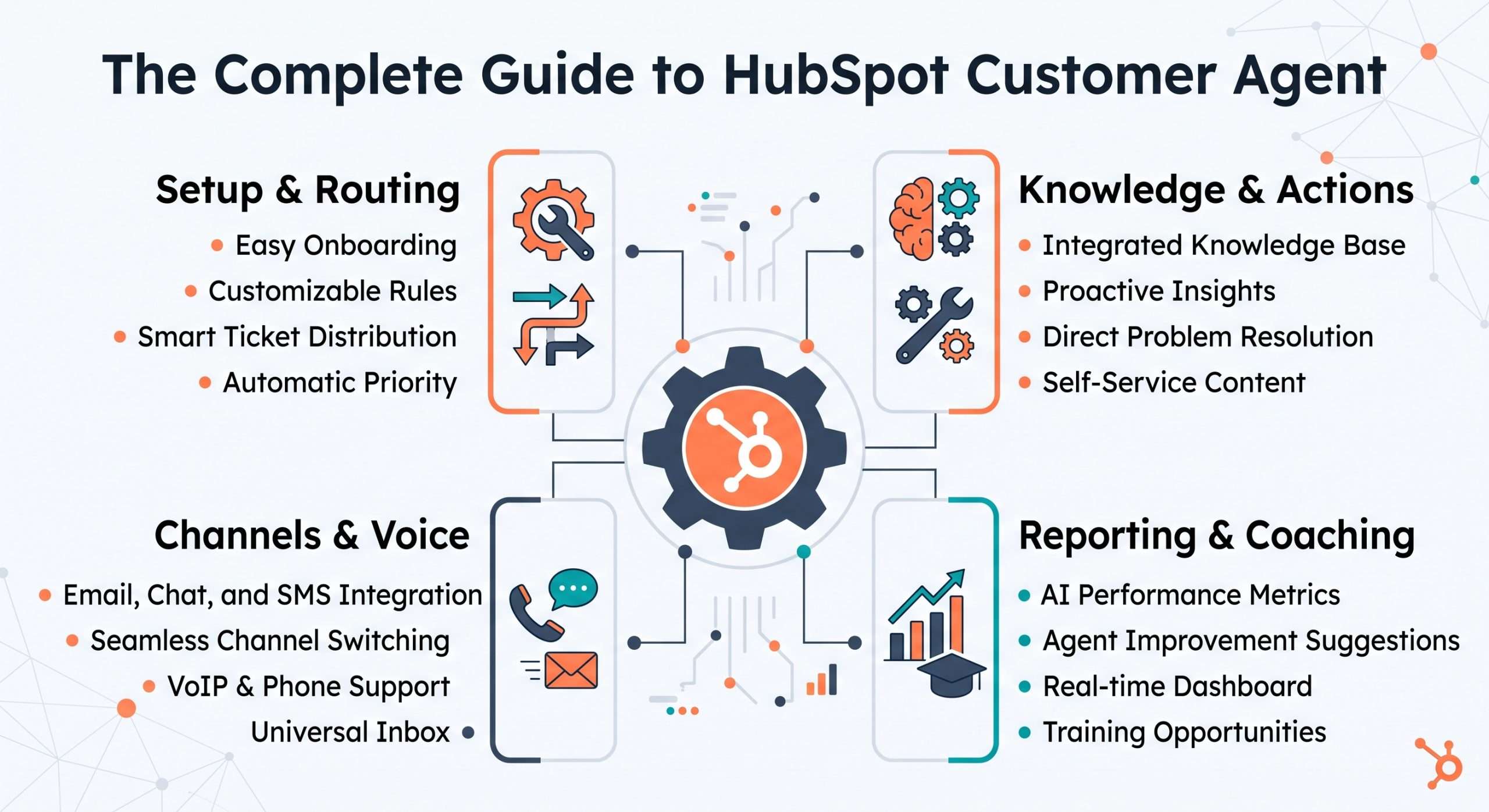
The Complete Guide to HubSpot Customer Agent
,
HubSpot Customer Agent is an AI-powered service agent that can automatically answer customer questions using approved business content, perform supported actions, personalize responses by audience, route or hand off conversations to human teams, and operate across multiple customer service channels. With HubSpot’s Fall Spotlight 2026 updates, Customer Agent is expanding beyond simple AI support into a broader service operating system with controls for setup, routing, handoff, testing, coaching, knowledge, segmentation, reporting, and voice.
That expansion is what makes Customer Agent one of the most important parts of HubSpot’s agentic customer platform.
The story is no longer simply: Can AI answer a support question?
It is becoming: Can a service team define what AI should handle, give it the right knowledge, control which customers it engages with, let it take approved actions, test its responses, measure its performance, improve it over time, and know exactly when a human should take over?
HubSpot’s Fall Spotlight roadmap adds capabilities across each of those areas.
That makes Customer Agent less like a standalone chatbot and more like an increasingly configurable service layer inside HubSpot.
What is HubSpot Customer Agent?
HubSpot Customer Agent is an AI-powered customer service agent designed to automatically respond to customer questions using your existing business content.
Once deployed to a support channel, Customer Agent uses contextual knowledge to answer questions in a conversational way. Depending on its confidence and the situation, it can provide a source-backed response, ask follow-up questions to better understand the request, or reassign the conversation to a human.
Customer Agent is not designed around the idea that AI should handle every interaction.
HubSpot’s architecture explicitly includes the possibility that the agent will not have enough confidence to answer, that the customer may ask for a person, or that the business itself may define circumstances where a human should step in.
That makes control and escalation central to the product.
How HubSpot Customer Agent works
At a high level, Customer Agent works through a continuous service loop: set up → give it knowledge → define what it can do → control who it serves → test → deploy → hand off when necessary → analyze → coach → improve
That framework is a useful way to understand the Fall Spotlight expansion.
HubSpot’s setup experience allows teams to create the agent, define its identity and personality, connect the content it will use, configure actions and handoff behavior, test it, deploy it, and then analyze performance over time.
The Fall Spotlight roadmap then adds more depth around nearly every stage of that lifecycle.
1. Set up Customer Agent around your business
The first step is creating the agent.
HubSpot’s current setup flow allows businesses to define an agent name and personality, with options such as Friendly, Professional, Casual, Empathetic, or Witty. If the business has configured a HubSpot brand voice, Customer Agent can also use that voice.
Teams then select the content Customer Agent can use when responding.
HubSpot supports existing HubSpot content as well as public URLs, and businesses can control which portions of a site are imported or excluded.
After creation, teams can configure several additional parts of the agent, including:
- Its identity
- CRM permissions
- Knowledge sources
- Actions
- Response guidelines
- Handoff rules
- Channel deployment
- Testing
- Performance analysis
HubSpot’s Fall Spotlight roadmap also introduces Customer Agent Auto-Setup, which is positioned as a faster guided setup experience that uses HubSpot context and previous conversations to help configure the agent.
The larger takeaway is that setup is increasingly about more than turning a bot on. It is about defining who the agent is, what it knows, what it can do, and where its boundaries are.
2. Give Customer Agent the right knowledge
Customer Agent needs approved information in order to answer well.
HubSpot allows businesses to add and manage content sources that the agent can reference when responding to customer questions. Those sources become part of the knowledge available to the agent during conversations.
The Fall Spotlight roadmap expands that idea through Customer Agent Knowledge Generator.
HubSpot positions the feature around turning resolved support interactions into draft knowledge for Customer Agent, which teams can then review and approve before the agent uses it.
That introduces a potentially valuable service loop: customers ask questions → support teams resolve them → resolved interactions reveal reusable knowledge → that knowledge can improve future Customer Agent responses
Importantly, the review step remains part of the process. HubSpot is not positioning ticket history as something that simply becomes approved knowledge automatically. It becomes draft knowledge that a team can evaluate before use.
That helps preserve human oversight while still allowing the service organization to learn from its own history.
3. Let Customer Agent do more than answer questions
Answering questions is only one part of customer service.
Sometimes the customer needs something to actually happen.
HubSpot allows Customer Agent to perform configured actions, and the Fall Spotlight roadmap introduces a searchable Customer Agent Actions Library with pre-built actions for common tools.
HubSpot’s setup documentation gives examples such as resetting a password and qualifying leads, while its testing environment allows teams to preview how configured actions behave before deployment.
This is an important evolution.
There is a major difference between: “Here is the answer to your question.”
and: “I can help complete the next step.”
The more Customer Agent can move from information retrieval into supported action, the more useful it becomes as part of an actual service workflow. That also makes governance more important.
Teams need to be deliberate about which actions an AI agent should be allowed to perform and under what conditions.
4. Control who Customer Agent responds to
Not every customer or interaction necessarily needs the same AI experience.
HubSpot is expanding Customer Agent around targeting and audience segmentation so businesses can better control who the agent engages with and how it responds.
For email, HubSpot’s Fall Spotlight positioning says businesses can use existing HubSpot lists and filters to control which contacts Customer Agent responds to.
The roadmap also introduces Customer Agent audience segments, designed to let the agent automatically adapt its experience for different audiences. That matters because service experiences are rarely one-size-fits-all.
A company may want different handling for different customer groups, account types, lifecycle stages, or service contexts.
Segmentation creates a way to make Customer Agent more contextual without necessarily creating an entirely separate service process for every audience. And because the targeting lives inside HubSpot, the control can be tied to information already stored in the CRM.
5. Route conversations intelligently
Another major part of Customer Agent is routing.
HubSpot’s Fall Spotlight roadmap includes fallback routing to Customer Agent, which is designed to reduce wait times by routing conversations to the agent when human representatives are unavailable. That creates an interesting service model.
Customer Agent does not necessarily have to sit in front of the human team in every scenario. It can also function as part of a fallback strategy.
For example, a company may choose to have human representatives handle certain interactions when available, while Customer Agent steps in when the team cannot immediately respond. That makes routing part of the broader human-and-AI service design.
The question becomes less: AI or human?
And more: Which resource should handle this interaction at this moment?
6. Design the right human handoff strategy
Handoff is one of the most important parts of the Customer Agent architecture.
HubSpot allows businesses to define rules for when the agent should stop handling the conversation and transfer it to a human.
By default, HubSpot says Customer Agent can hand a conversation off when:
- It cannot answer the question
- The visitor asks to speak with a person
- The agent is paused
Businesses can also create custom handoff guidelines based on specific needs, including words, phrases, or conditions such as cancellation, refunds, or login issues.
HubSpot provides several handoff models. The conversation can be transferred to a live human immediately. It can be handed off asynchronously for a person to address later. Or the business can choose not to hand the conversation off and allow Customer Agent to continue responding.
Teams can also route handoffs to particular users or teams, use workflows to determine assignment, and customize the messages customers see during the transfer. This is where Customer Agent becomes much more operationally interesting.
A strong AI service implementation is not defined only by what the agent can answer.
It is also defined by how well the transition to a person works when AI should not continue.
7. Assign conversations to Customer Agent when it makes sense
Fall Spotlight also adds a more flexible handoff direction: support teams can assign conversations to Customer Agent from Help Desk or Inbox.
HubSpot positions this around resolving routine support issues faster by allowing human teams to hand appropriate conversations back to the agent.
That makes handoff bidirectional.
It does not have to be: AI → human
It can also be: human → AI
That is a meaningful service design shift because it allows the team to decide dynamically who should own a conversation based on what the issue requires.
The customer service organization becomes more of a shared queue between people and AI rather than two completely separate support systems.
8. Test Customer Agent before customers see it
Testing is another area HubSpot is expanding significantly.
Current Customer Agent setup includes a built-in testing experience that allows teams to preview the agent before deploying it to live channels.
Teams can test how Customer Agent responds in different channel contexts, preview the experience as a specific CRM contact or audience segment, enter custom questions, test actions, and review testing insights such as which sources the agent used and why it responded the way it did.
The Fall Spotlight roadmap also includes Batch Testing, positioned around testing Customer Agent against real customer questions before launch and then coaching the agent based on the results.
There is also an Embedded Tester, designed to stay available as teams edit Customer Agent so they can test responses without constantly moving between separate parts of the tool.
That changes testing from a final checklist item into something that can happen throughout configuration.
And that is exactly how AI systems should be treated.
You do not simply configure once and assume the experience will be correct.
You test, inspect, adjust, and repeat.
9. Coach Customer Agent based on real interactions
Testing tells teams what Customer Agent might do.
Coaching helps improve what it actually does.
HubSpot’s Fall Spotlight roadmap adds several capabilities around Customer Agent coaching and insights.
The HubSpot Customer Agent setup, Customer Agent handoff, Customer Agent testing, Customer Agent knowledge, Customer Agent actions, HubSpot AI customer service, Customer Agent voice, agentic service, Customer Agent reporting experience allows teams to review the sources and reasoning behind responses inside Help Desk, giving administrators more context for why the agent answered the way it did.
HubSpot’s service documentation also supports coaching from Customer Agent interactions, allowing teams to review responses and make improvements based on what they observe.
This is important because service AI should not be treated as something that is “trained” once and left alone.
Real customer conversations expose: missing knowledge, unclear instructions, unexpected questions, handoff gaps, and situations where the agent needs better guidance.
Those interactions become inputs into the next round of improvement.
10. Personalize Customer Agent by audience
One of the more strategically interesting Fall Spotlight updates is audience segmentation.
HubSpot positions Customer Agent audience segments around automatically adapting the agent experience for different audiences. That moves personalization beyond simply knowing the contact’s name or account information.
The idea is that different groups can receive different Customer Agent experiences based on the way the organization has segmented them. For service teams, that creates a more nuanced deployment model.
Rather than asking: Should we use Customer Agent with customers?
the question can become: Which Customer Agent experience should this customer receive?
That is a much more mature service design question.
11. Measure Customer Agent performance
Once Customer Agent is deployed, teams need to know whether it is actually working.
HubSpot’s setup documentation includes an analysis layer for reviewing performance over time, detecting knowledge gaps, and understanding which knowledge sources are used most often.
HubSpot also provides dedicated Customer Agent reporting, and the Fall Spotlight roadmap includes updated performance reporting designed to make the most important Customer Agent metrics easier to understand and report on.
HubSpot’s performance documentation includes reporting around agent activity and outcomes so teams can evaluate how the agent is performing and where it may need improvement.
That is an essential part of the service loop. Without reporting, teams are left with anecdotal impressions.
With performance data, they can begin asking more useful questions:
- Which questions are being handled successfully?
- Where is the agent struggling?
- Which knowledge sources are being used?
- Where are handoffs occurring?
- What should be improved next?
That turns Customer Agent from an AI experiment into something the service organization can actually manage.
12. Customer Agent can operate across more channels
Customer Agent is also expanding across the service channels where customers already interact with the business.
HubSpot supports deployment to customer support channels and allows teams to manage channel-specific settings.
The Fall Spotlight roadmap also highlights an increasingly omnichannel Customer Agent experience, including:
- Chat
- Forms
- Voice
The roadmap specifically adds Customer Agent responses to form submissions and a new voice experience.
This matters because customers do not think in terms of internal service architecture. They simply reach out using the channel that is most convenient.
A stronger agentic service model therefore needs to work across those channels without forcing every interaction into a separate AI system.
13. Customer Agent is moving into voice
Voice is one of the clearest signs that Customer Agent is expanding beyond traditional chatbot territory.
HubSpot’s Fall Spotlight roadmap introduces Customer Agent: Voice, currently positioned as a public beta targeted for December 1, 2026. The feature is designed to let Customer Agent answer customer calls by voice and hand the caller to a human representative when needed.
HubSpot’s voice documentation allows businesses to assign Customer Agent to a calling channel, extending AI-assisted service into phone interactions.
That expands the agentic service model considerably. Chat and email are asynchronous or text-first. Phone support is immediate, conversational, and often higher pressure. The ability to support voice while retaining human handoff makes the control model even more important.
Service teams will need to think carefully about which call types the agent should handle, what information it should have access to, and when escalation should occur.
14. Customer Agent is becoming part of a human-and-AI service team
All of these updates point toward the same operating model.
Customer Agent is not an alternative to the human support team, it is becoming another participant in that team.
The agent can answer routine questions, use a knowledgebase, perform supported actions, serve selected audiences, receive conversations from human agents, hand conversations to humans, operate across channels, and teams can test, analyze, and coach it over time.
That changes the service leadership question.
Instead of asking: How much support can we automate?
a more useful question is: How should AI and humans divide the work while maintaining service quality and control?
That is the core idea behind agentic service.
Customer Agent vs. a traditional chatbot
A traditional chatbot is usually built around a relatively fixed conversational structure. It may route visitors through predefined questions, offer links, collect information, or follow decision-tree logic.
Customer Agent is designed around a different model. It uses business knowledge to answer customer questions dynamically, can ask follow-up questions, perform configured actions, personalize experiences, and hand off conversations when appropriate.
The difference is therefore not simply “AI chatbot versus old chatbot.” The bigger difference is that Customer Agent is becoming connected to more parts of the customer service operating system.
That is what makes it more significant than a standalone web chat experience.
Customer Agent vs. human support
Customer Agent and human support should not be treated as mutually exclusive, HubSpot’s handoff architecture makes that explicit.
The agent can resolve routine or well-supported interactions, while people can step in when the agent cannot confidently answer, when the customer asks for a human, or when the business defines a situation that requires escalation.
That makes the best division of work highly dependent on the organization.
Customer Agent is strongest when the business can clearly define: what the AI should handle, it should not handle, knowledge it needs, actions it may perform, and what should trigger human involvement.
The technology can support the transition.
The organization still needs to design the policy behind it.
What should Customer Agent handle first?
A strong first Customer Agent use case should be well understood and well supported by existing content.
Think about questions that are: frequent, repeatable, well documented, and relatively straightforward to resolve.
Then make sure the underlying knowledge is strong enough for the agent to use.
Customer Agent setup allows teams to select and manage knowledge sources, and HubSpot now provides more tools for testing those sources and identifying gaps.
Start with a defined scope, test it, review responses, watch where handoffs happen, improve the knowledge, and then expand.
What should teams do before launching Customer Agent?
Before deployment, there are five questions worth answering.
What should the agent know?
Review your content sources and make sure they provide clear, current answers to the questions customers are likely to ask.
What should the agent be allowed to do?
Define any actions the agent can perform and whether those actions are appropriate for the use case.
Who should the agent serve?
Use targeting and audience segmentation to determine where the Customer Agent experience belongs.
When should a human take over?
Define explicit handoff rules rather than leaving escalation entirely to chance.
How will you know whether it is working?
Establish the performance signals the team will review after launch.
Then use HubSpot’s testing tools before expanding the deployment.
How Customer Agent fits into HubSpot’s broader agentic customer platform
Customer Agent represents the service side of HubSpot’s broader shift toward an agentic customer platform. Agent Hub and Agent Builder establish infrastructure for building and managing AI agents. HubSpot’s marketing agents support campaign creation and nurture. Prospecting Agent and Deal Progression support the seller journey.
Customer Agent applies the same broader principle to service: use business context and customer data to let AI participate in real workflows while keeping the organization in control of how that work happens.
An AI agent cannot simply be judged on whether it can generate an answer.
Teams also need to know:
- Where did the answer come from?
- Was it appropriate for this customer?
- Should the agent have acted?
- Should a human have stepped in?
- How did the interaction perform?
- What should we change based on what happened?
HubSpot’s Fall Spotlight expansion addresses more and more of those questions.
The bigger takeaway: Customer Agent is becoming a service operating system
HubSpot Customer Agent is evolving from an AI answering tool into a broader agentic service system.
The Fall Spotlight roadmap expands Customer Agent across setup, knowledge, actions, targeting, routing, handoff, testing, coaching, segmentation, reporting, channels, and voice.
That means the opportunity is no longer simply to “add AI to customer service.” The opportunity is to redesign how routine service work moves between AI, humans, CRM data, business knowledge, and the channels where customers already ask for help.
The organizations that get the most value from Customer Agent will likely be the ones that treat it as an operating model rather than a chatbot.
Give it the right knowledge.
Define its authority.
Decide who it should serve.
Test it before expanding.
Create clear human handoffs.
Measure what happens.
And coach the system based on real customer interactions.
That is how Customer Agent becomes more useful over time without giving up the control and service quality customers still expect.
Ready to Build a Customer Agent Strategy in HubSpot?
Customer Agent can automate more of the support experience, but the quality of that automation depends on the system around it, your knowledge, CRM data, routing, handoff rules, actions, channels, and governance.
If you’re evaluating HubSpot Customer Agent or want help designing an agentic service model around your existing HubSpot environment, get in touch with our team. We can help you identify the right first use cases, prepare the knowledge and processes Customer Agent needs, and build a rollout that balances automation with the human support experience.